Most LinkedIn outreach fails for a boring reason. Not bad targeting, not bad timing – the message just reads like it was sent to four hundred other people, because it was.
You’ve seen it. Connection request with no note. You accept. Within ninety seconds, a pitch lands. Sometimes with your first name spelled wrong, sometimes with a calendar link already in it.
That approach used to work a little, back when inboxes were quieter. It doesn’t now. And there’s a structural reason it won’t start working again, which we’ll get to in a minute.
This guide covers what actually works: how to pick who to contact, what to say, how to follow up without being annoying, and — if you’d rather not do it yourself — how to buy a LinkedIn outreach service without handing your account to someone who’ll get it restricted.
What is LinkedIn outreach?
LinkedIn outreach is contacting people on LinkedIn who haven’t asked to hear from you, to start a business conversation. It usually means sending a connection request, then a message once they accept, then a follow-up or two. The goal is a conversation — not a sale, not a demo booking, a conversation.
That last part sounds like a technicality. It isn’t. People who optimise for “booked meetings” in the first message get meetings with people who weren’t going to buy, and miss the ones who would have, three weeks later, after a real exchange.
Why bother with LinkedIn at all?
A few reasons that hold up:
Your buyer is in work mode. Nobody opens LinkedIn to relax. That’s half the battle compared to channels where you’re interrupting someone’s evening.
You can see who you’re talking to. Their role, their tenure, what they posted last week, who you both know. You can’t do that with a scraped email list.
The context is already professional. You don’t have to explain who you are before you explain why you’re writing. Your profile does the first job.
It compounds. A cold email that doesn’t land is gone. A LinkedIn connection that doesn’t convert today still sees your posts next quarter.
The honest counterweight: LinkedIn only works if your buyers are actually there. Founders, consultants, heads of marketing, sales and HR, most B2B SaaS roles — yes. A lot of SME manufacturing, local services, and trades — no. No message reaches an inbox nobody opens.
The constraint that changes everything
Here’s the thing most guides skip.
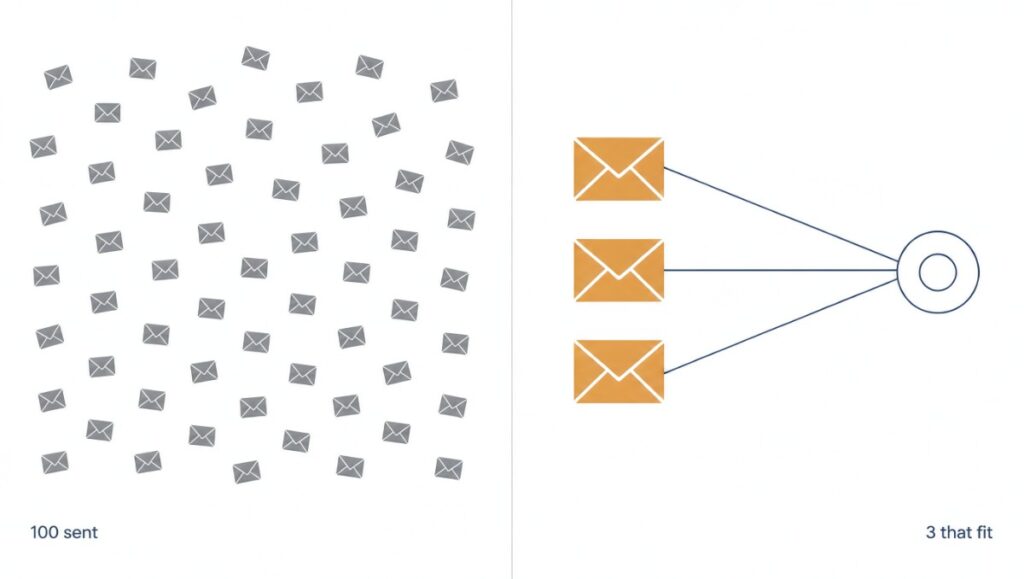
LinkedIn limits most accounts to around 100 connection requests a week. The exact number moves with account age, warmth and activity, and LinkedIn doesn’t publish it. But the ceiling is real, and automation tools don’t get around it — they just hit it faster and get your account flagged on the way.
Sit with what that means. If you can only send ~100 requests a week, then volume is no longer a lever you control. It’s been taken away from you.
Which leaves exactly two things:
- Who those 100 people are
- What you say to them
That’s the whole game now. Every hour you’d have spent scaling sends, spend it on list quality and message quality instead. The maths has already made the decision for you.
A related point on automation: LinkedIn’s User Agreement doesn’t permit third-party tools that send connection requests or messages on your behalf. People use them anyway, plenty of them. Just know the account carrying the risk is yours, and a restricted account takes your network with it.
Types of LinkedIn outreach (and when each one fits)
Not all outreach has the same goal. Mixing them up is why a lot of messages feel off.
| Type | What you’re asking for | Works best when |
|---|---|---|
| Cold sales outreach | A conversation about a problem you solve | You’ve got a specific, narrow ICP and a real trigger |
| Warm network reactivation | To reconnect with people already connected to you | Always. This is the most underused list you own |
| Post-engagement outreach | To continue a conversation that already started | Someone commented on your post or you on theirs |
| Link building / PR outreach | A mention, a link, a collaboration | You’ve got an asset genuinely worth linking to |
| Partnership outreach | A referral or co-marketing relationship | You serve the same buyer, different need |
| Recruiting outreach | A conversation about a role | You can name why them specifically |
| Event / community outreach | Attendance, a speaking slot, a podcast guest | You have a reason they’d benefit from showing up |
The one most people ignore: warm network reactivation. If you’ve been on LinkedIn five years, you probably have 1,500+ connections nobody has ever sorted. Those people already said yes to you once. They’re not cold, they don’t count against your weekly request cap, and the acceptance step is already done.
Start there. It’s free, it’s fast, and the reply rates aren’t comparable to cold.
For link building specifically, outreach quality matters even more, because you’re asking for something that costs the other person editorial credibility. We’ve written about what makes a link worth having in what backlinks are and why links matter for SEO, and if you’d rather not run that process yourself, our SaaS link building service covers it.
Before you send anything: the verification gap
This is the part the other guides miss, and it’s quietly the biggest thing affecting your reply rate.
Someone gets your message. They’re mildly interested. What happens next?
They look you up.
Everyone knows they open your profile — that’s why every guide tells you to fix your headline. But that’s no longer the whole check. A growing share of people now ask ChatGPT, Perplexity or Gemini some version of “who is this person”, “is this company real”, or “what do people say about X.”
And here’s the problem: if AI returns nothing about you, that silence reads as an answer. Not a neutral one. If your competitor comes back with a clean summary, three sources and a client list, and you come back with “I don’t have information about this company,” you’ve lost the comparison before you had a conversation.
Nobody tells you this is happening. You just see a lower reply rate and assume the message was wrong.
So there’s a layer under your outreach that most people never audit:
- Does your company come up at all when an AI is asked about your category?
- Does what it says match what you’d want said?
- Are the sources it cites ones you’d be happy to be judged by?
If you haven’t checked, check before you scale sends. It’s a twenty-minute job and it changes how you read your own numbers.
This is the overlap between outreach and AI visibility, and it’s where most B2B teams are flying blind. Why AI finds your content but doesn’t cite it covers the mechanics of why you might be invisible even with good content, and AI citations for AEO visibility covers how to earn the mentions that show up in those answers. If you’re B2B SaaS specifically, AEO for B2B SaaS is the closer fit.
Step 1: Fix your profile (the 20-minute version)
Your profile is the landing page for every message you send. Don’t rebuild it. Fix four things:
Headline. Not your job title. What you do for whom. “Helping B2B SaaS teams get cited in AI search” beats “Founder at AEORanks” every time, because the first one tells a stranger whether to care.
Banner. Dead space on most profiles. Put your offer, a proof point, or a clear line about who you help.
About, first two lines. LinkedIn truncates it. Those two lines are all most people read. Lead with the problem you solve, not your career history.
Featured section. One or two things that prove you can do the thing — a case study, a tool, a piece of writing. This does more work than the rest of the profile combined.
One more: post something. Even occasionally. A profile with no activity in eight months looks abandoned, and a stranger deciding whether to reply notices.
Step 2: Build a list worth messaging
Bad list, great message — no replies. Great list, average message — some replies. The list matters more, and it’s where people spend the least time.
Start with the people you already know. Your existing connections. Export them, sort by who fits your buyer, and work through that first.
Then one step out. Second-degree connections with a shared contact you’d actually be comfortable naming.
Then triggers, not titles. This is the upgrade most people never make. Instead of “all Heads of Marketing at Series A SaaS,” look for something that just changed:
- New in the role (first 90 days, actively looking for wins)
- Just raised funding
- Hiring for a role that implies your problem — a company hiring three content writers has a content strategy problem
- Posted about the thing you solve
- Engaged with a competitor’s post
A relevant message to someone with a live trigger beats a perfect message to someone with no reason to care this week. Timing isn’t a tiebreaker, it’s most of the result.
Step 3: The connection request
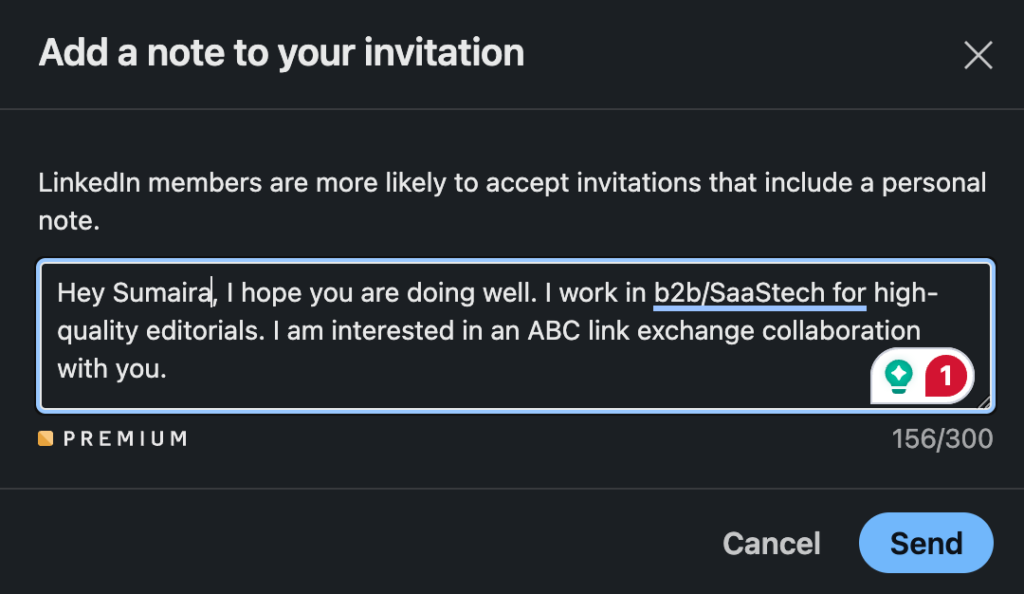
The rule: the connection request does not pitch. Its only job is to give a true reason you’re connecting, in under 300 characters.
Three formats that work:
The specific reference
Hi Priya — read your post on why your team killed your SEO retainer. The bit about reporting on rankings nobody asked about hit home. Would like to follow your stuff.
The shared context
Hi Arjun — we’re both in the [group name] group and I keep seeing your comments on attribution. Working on similar problems at my end. Happy to connect.
The plain one
Hi Meera — I work with B2B SaaS teams on AI search visibility and you’re one of the few people posting about it seriously. Would like to stay in touch.
What they share: a real reason, something specific to that person, and no ask.
What to avoid:
- No note at all (works on volume, costs you the warm start)
- “I’d like to add you to my professional network” — the default, and it reads as default
- Any version of “I help companies like yours…” in a connection request
- A calendar link. Ever, at this stage
If you’re going to use a template, keep one genuinely variable slot and actually fill it. A template with a name swapped in is still a template, and people can tell.
Step 4: The first message (where most outreach dies)
They accepted. Now the mistake: you pitch.
Think about how that feels from the other side. They said yes to connecting, and the yes was immediately converted into a sales conversation they didn’t agree to. It reads as a trap. Some of them will disconnect.
The first message should ask a real question or give something useful. Then stop.
Sample — question-led:
Thanks for connecting, Priya.
Quick one since you’re closer to this than I am — when you dropped the SEO retainer, did you move that budget somewhere else, or just cut it?
Asking because I’m seeing a split: some teams reinvest in AI search, most just stop. Curious which side you landed on.
Why it works: it’s a genuine question, it’s easy to answer in one line, and answering doesn’t commit them to anything.
Sample — give-first:
Thanks for connecting, Arjun.
No pitch — I ran your site through an AI visibility check this morning out of curiosity. ChatGPT names three competitors for your main category and doesn’t mention you.
Happy to send what I found if it’s useful. Either way, good luck with the launch.
Why it works: it’s specific, you did work before asking for anything, and the exit is built in.
Sample — the warm reconnect:
Hi Sameer — we connected back when you were at [company], think it was around the Bangalore meetup.
Saw you’re at [new company] now, heading growth. Congrats.
Are you still working on the content side there, or has the remit changed?
Why it works: establishes real shared history, acknowledges their move, and asks something that opens a conversation instead of closing one.
One rule on links: don’t put one in the first message. They rarely get clicked, and on LinkedIn they can suppress how your message is treated. Earn the click in message two or three.
Step 5: Follow-ups that aren’t annoying
The rule: one or two follow-ups, days apart, each adding something new. Then stop.
Three “just bumping this up” messages aren’t persistence. Someone who ignored you twice has answered.
Follow-up 1 — add something (3–4 days later):
Hi Priya — following up on the above, no worries if it’s not a priority.
Separately, we pulled together what 20 B2B teams are doing about AI search visibility. Section on measurement might be relevant to the reporting problem you mentioned. [link]
Either way, enjoying your posts.
Follow-up 2 — the clean close (5–7 days after that):
Hi Priya — I’ll stop here, don’t want to clutter your inbox.
If AI visibility becomes a priority later, happy to talk. And if it’s just not a fit, that’s a completely fine answer.
All the best with Q1.
That second one gets more replies than people expect. Giving someone a clean exit often gets you an honest answer — sometimes “actually, talk to me in March,” which is worth more than silence.
A note on voice notes. Up to a minute, and they stand out in a text feed. Use them for follow-up two, not for the first touch — a voice note from a complete stranger lands differently to one from someone who’s already messaged you.
Step 6: What to measure
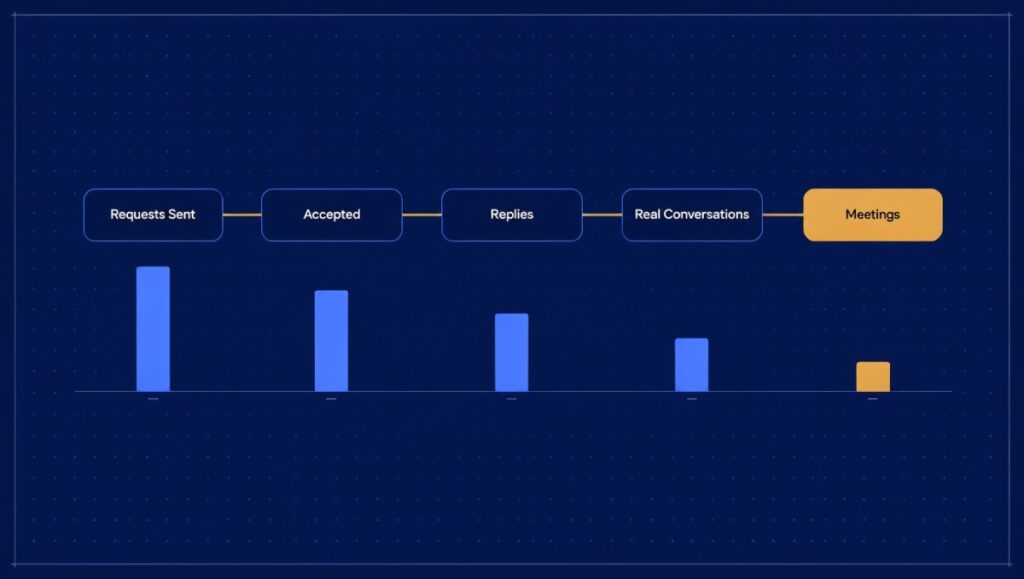
Track five numbers. Weekly. Half a page.
| Number | What it tells you |
|---|---|
| Requests sent | Did the work happen, and did it stay inside safe limits |
| Requests accepted | Is the list right, and does your profile hold up |
| Replies | Is the first message earning an answer |
| Real conversations | How many repliers could actually buy |
| Meetings booked | The only one that pays |
Read them as a chain, because that’s how you diagnose.
Few accepts → your list or your profile is the problem, not your messaging. Lots of accepts, few replies → your first message is pitching. Lots of replies, few real conversations → your list is attracting friendly people, not buyers. Real conversations, no meetings → the offer or the ask is wrong.
That diagnostic is the whole value of tracking. Most people track sends and connections added, which only ever go up and tell you nothing.
Benchmarks, with the caveat that they vary wildly by market: Skylead published results from one of their own campaigns of 2,782 connection requests at a 33% acceptance rate and 17% response rate. LinkedIn’s own sales materials put InMail response at 10–25%. Treat these as orientation, not targets — a niche list of 80 people should beat all of them.
LinkedIn outreach services: how to buy one without regretting it
If you’d rather not run this yourself, fine. But understand what you’re buying, because “LinkedIn outreach service” describes three very different things.
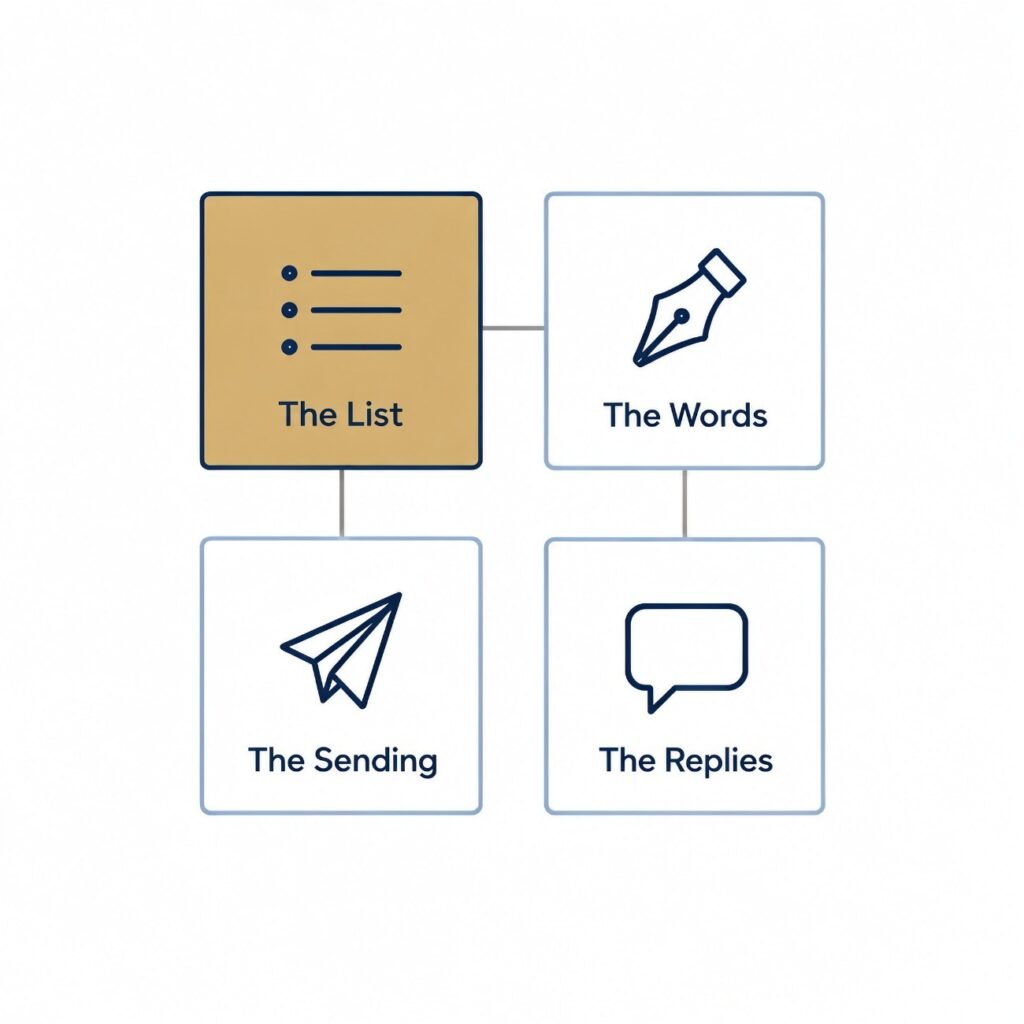
The four jobs inside the service
A LinkedIn outreach service covers up to four separate jobs:
- The list — who gets contacted, and why them
- The words — the connection note, first message, follow-ups
- The sending — the daily work of actually sending
- The replies — answering people, sorting buyers from the polite, booking the call
Almost every bad experience comes from a mismatch here. The founder thought they bought all four. The agency sold the sending. Six months later there’s a restricted account, a list of connections nobody spoke to, and an argument about what was in scope.
Ask which of the four you’re getting. In writing.
The three kinds you can buy
| Kind | What you get | Where it goes wrong |
|---|---|---|
| A tool you run yourself | Software that sends on a schedule | You still do the list, words and replies — and the tool sits outside LinkedIn’s terms |
| A volume agency | A team running that tool on your profile, or on rented profiles | Big numbers, one message for everyone, your account carries the risk |
| A hands-on service | Short list, messages written for it, human sending pace | Fewer contacts a week, higher cost per contact |
Note the trap in the middle row. A volume agency is built around the one number LinkedIn has already capped. They’re selling you scale on the only dimension you can’t scale.
Seven questions to ask before you hire LinkedIn Outreach service
- Whose profile do you send from? Yours is the honest answer. A rented profile can’t carry your credibility.
- Do you use a sending tool, and how many requests a day? You want a small number and a straight answer about the risk.
- Where does the list come from? Listen for your own connections and a written description of your buyer. “Our database” is the wrong answer.
- Who writes the messages, and do I approve them first? Nothing should go out under your name that you haven’t read.
- Who answers replies, and how fast? If the answer is “you do,” you’re buying half a service. That can be fine — as long as you know.
- What do I keep if we stop? The list, the messages and the conversation history should stay with you.
- What’s in the weekly report? Compare it against the five numbers above.
A service that answers all seven comfortably is rare. That’s the point of asking.
What does LinkedIn outreach cost?
Pricing comes in three shapes: a monthly tool subscription per profile, a monthly agency retainer (sometimes with a setup fee), or per-meeting pricing.
Be careful with per-meeting pricing. It sounds like the safest option and often isn’t — it pays the agency to book anyone who says yes, which is how you end up with a calendar full of meetings with people who were never going to buy.
For a sense of the Indian market, Client Magnet publishes theirs: ₹60,000 once to build the system and hand it over, or ₹40,000 a month if they run it from your profile and handle replies. Useful as a reference point, though rates vary a lot by scope.
When a LinkedIn outreach service is the wrong buy
Don’t buy one if:
- Your buyers aren’t on LinkedIn
- Your profile is bare and you won’t fix it — fix it first, or the money’s wasted
- You want thousands of contacts a month. LinkedIn doesn’t allow it, and anyone promising it is spending your account to deliver
- Nobody can verify you. If your company doesn’t come up in search or in AI answers, outreach is pushing traffic to a dead end. Fix the verification layer first.
That last one is where we’d push back on most outreach advice. Outreach is a demand capture mechanism. If there’s no demand and no credibility underneath it, you’re paying someone to introduce you to people who will immediately go looking for a reason to trust you and find nothing.
What is LinkedIn outreach?
LinkedIn outreach is contacting people on LinkedIn who haven’t asked to hear from you, to start a business conversation. It typically involves a connection request, a message once accepted, and one or two follow-ups. The goal is a conversation, not an immediate sale.
How many connection requests can I send per day on LinkedIn?
Most accounts are capped at roughly 100 connection requests per week. LinkedIn doesn’t publish the exact figure and it varies with account age, warmth and activity. A safe daily pace for a healthy account is 10–20, ramping up slowly on a new account. Going harder risks a restriction, and the account is yours.
Does LinkedIn outreach still work in 2027?
Yes, under two conditions. Your buyers have to actually be active on LinkedIn, and your profile has to hold up when a stranger looks at it. Where it no longer works is as a volume game — the weekly cap means targeting and message quality decide your results, not send volume.
What should I say in a LinkedIn connection request?
Give a true, specific reason you’re connecting, in under 300 characters, with no pitch and no link. Reference something real — a post of theirs, a shared group, a mutual connection. The request’s only job is to earn the accept.
Why is nobody replying to my LinkedIn messages?
Work through the chain. If few people accept, the problem is your list or your profile. If people accept but don’t reply, your first message is almost certainly pitching too early. If people reply but none are buyers, your list is attracting friendly people rather than your ICP. And check whether you’re verifiable — if someone looks you up and finds nothing in search or AI answers, they often just don’t reply.
How many follow-ups should I send?
One or two, spaced several days apart, each adding something new. Then stop. A third “just bumping this” doesn’t read as persistence. Someone who has ignored two messages has given you an answer.
Should I use LinkedIn automation tools?LinkedIn’s User Agreement doesn’t permit third-party tools that send connection requests or messages for you. People use them regardless, but the account carrying the risk is yours, and a restriction takes your network with it. Given the weekly cap makes volume a non-lever anyway, the upside is smaller than it looks.
Is LinkedIn or cold email better?
Use LinkedIn when your buyers are active there, your profile is credible, and a few hundred of the right people would fill your year. Use email when your buyers aren’t on LinkedIn or you need more reach than ~100 requests a week allows. Many teams run both — email for reach, LinkedIn for depth.